Dish in frame Weight · baseline
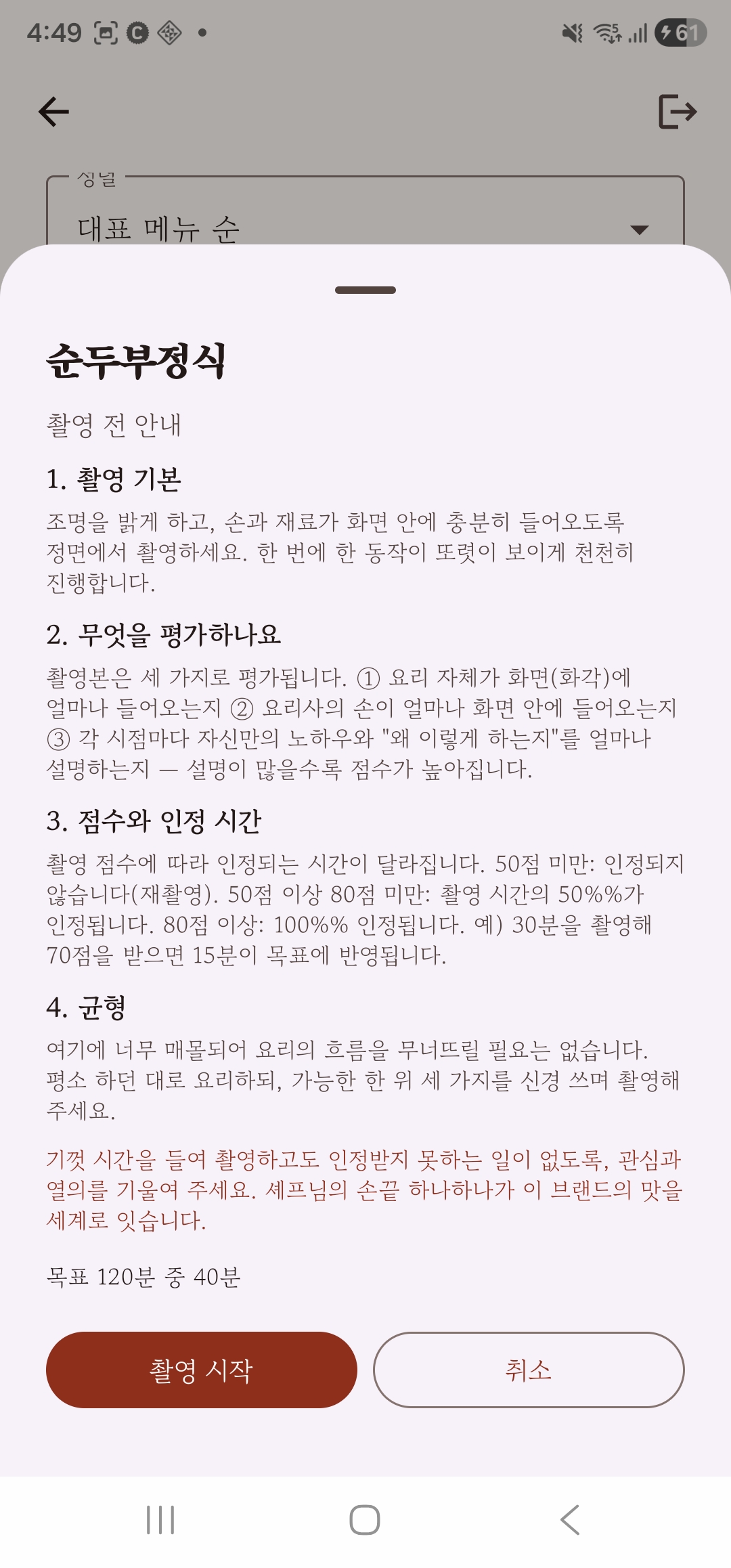
Is the dish clearly in the shot? You can only learn what you can see, so this comes first.
This isn't a vague promise. A head restaurant films, a learner learns, and the process really works.
This page isn't a user manual. It's proof that the whole flow, a head restaurant's chef filming, the AI learning the chef's touch and a learner in the U.S. mastering the dish, is built to actually work, not just imagined. Below, see what each party does and how the process is scored and learned, exactly as built.
 Head restaurant · Korea The head restaurant's chef films The chef films the standard cooking process in first person on Galaxy XR.
  Learner · U.S. The learner trains live Watching the learner's live view, the AI teaches through conversation and grades how far the cooking is from the head restaurant's.
 The next three sections show, in order, how the head restaurant films and is scored, how the learner learns, and how both get started.
Not every video a head restaurant's chef films is used. The AI learns properly only from well-shot footage, so every take is scored for quality automatically, and the score decides how much counts. This scoring is already built and working in the app.
Is the dish clearly in the shot? You can only learn what you can see, so this comes first.
Are the chef's hands in the shot? This matters for learning the movements.
Does the chef say why they're doing it this way, right now? The point is passing on the craft, not just video, so this counts most.
A high enough score counts in full, a middling one in part, and one below the bar not at all. That built-in check, filming a take only to have it not count, nudges head restaurants to film with care. Quality sorts itself out.
Each take is scored 0–100, and by score band it counts 0%, in part or 100%. Counted time = take length × acceptance ratio, applied exactly to each dish's target. (Specific cutoffs, weights and other internal settings are trade secrets and not disclosed.)
This first version currently works from take length. Reading the three criteria automatically from the video will be refined step by step as the vision AI is connected.
A learner may be new to cooking. So learning has two stages: first the ideas behind the dish (theory), and only once those are mastered, actually cooking it (practice). Both stages count by whether you've truly learned it, not by how many times you've tried.
Concept lectures (theory)
learn by talking, then get assessedPractice sessions counted
to master the dishGap from the head restaurant
A · B · C · DThe learner's dish is compared with the head restaurant's standard and given one of four grades for how close it is.
Each session is scored 0–100, and the score band decides how much it counts (none, partial or full). The deviation grade also sits on a 0–100 scale. Specific cutoffs, weights and other internal settings are not disclosed.
For now, a first-stage, conversation-based evaluation is running. Measuring how precisely the cooking matches the head restaurant's taste (across several flavor axes) will be added step by step as the camera and vision AI are connected. As general-purpose AI models improve, we plan to upgrade our cooking AI regularly too.
Head restaurants and learners use the same app but take different paths: the head restaurant 'preserves' a dish, the learner 'learns' it. Here's how each track starts, with real app screens. Use the selector just below to see either side.
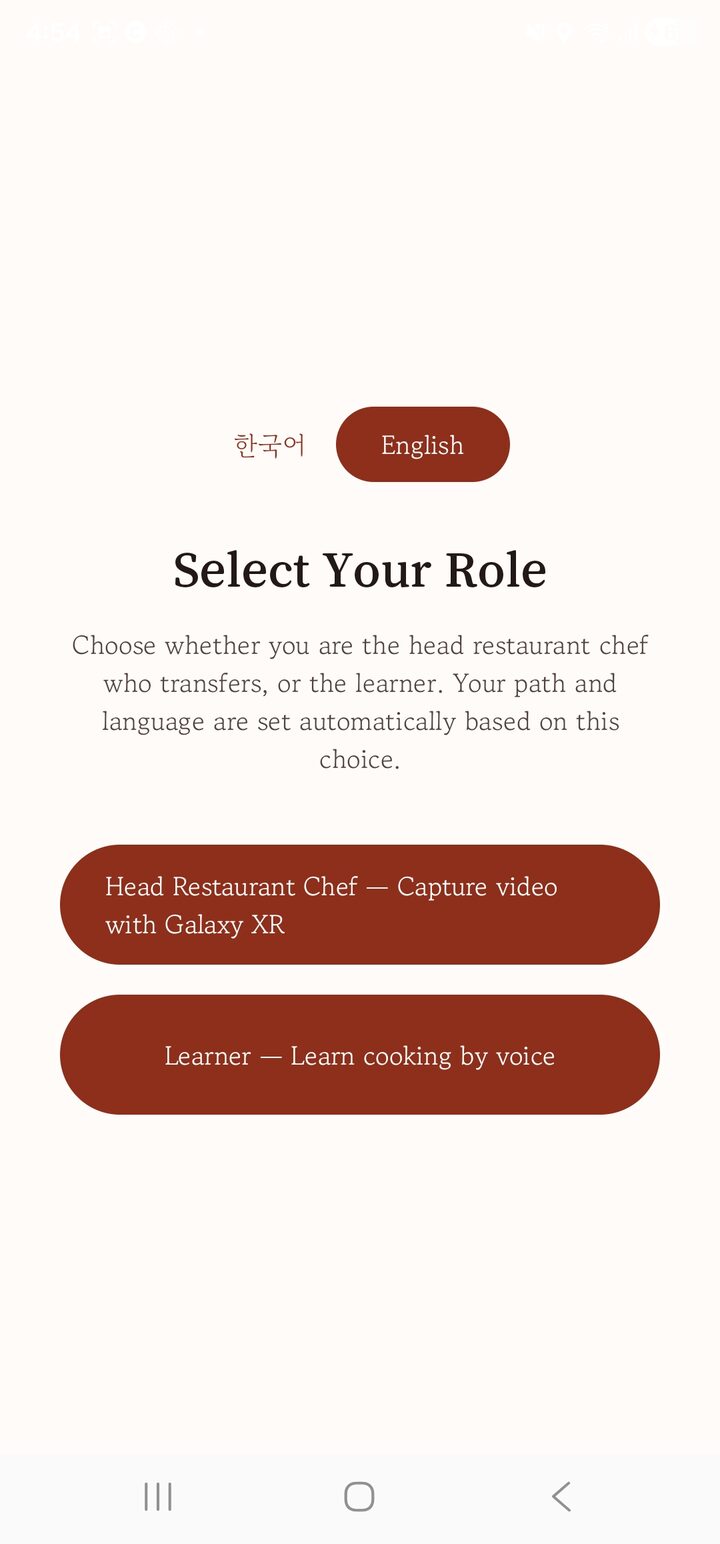
For head restaurant brands that have moved past expressing interest, signed a formal contract and are preparing to launch in the U.S. Each receives an invitation, signs in and chooses 'head restaurant chef' (the language is also chosen on the first screen).

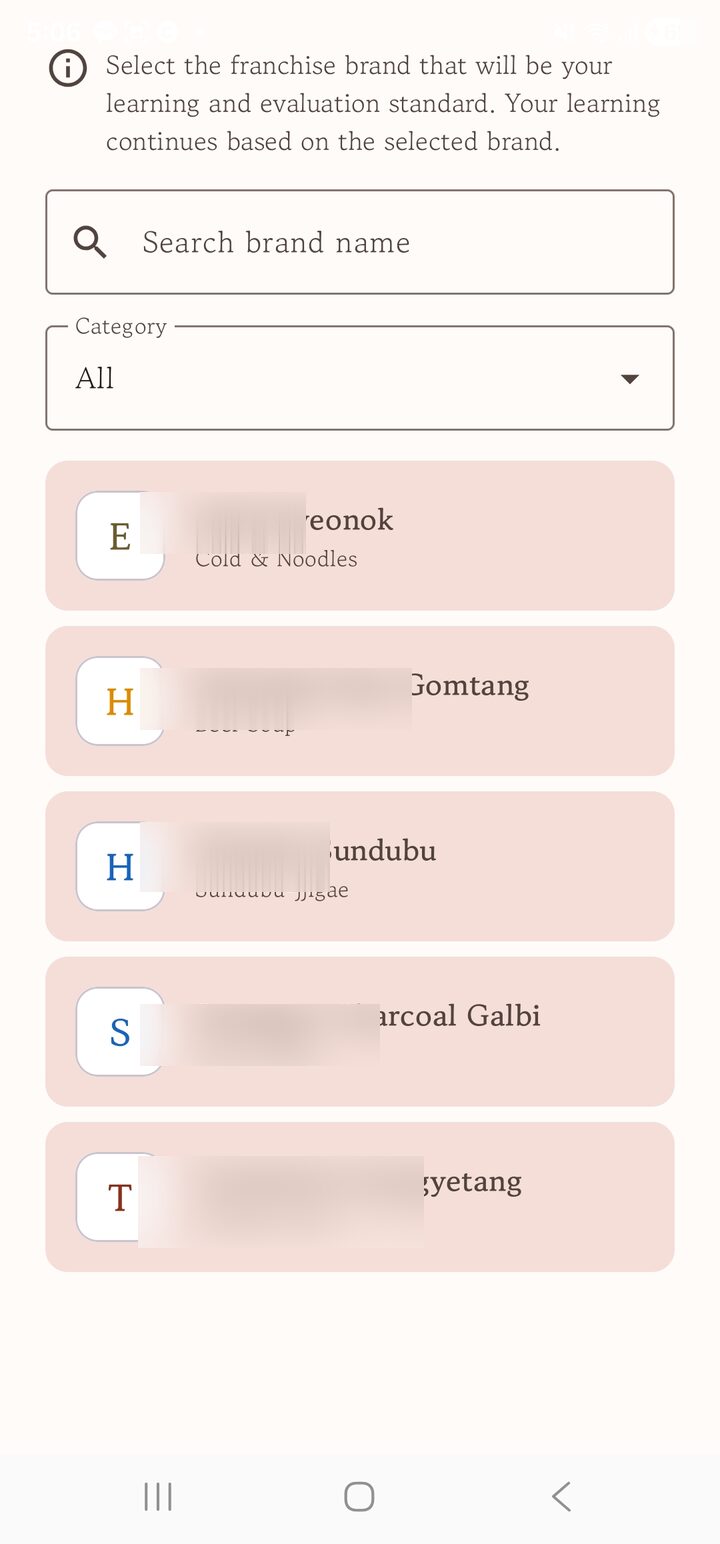
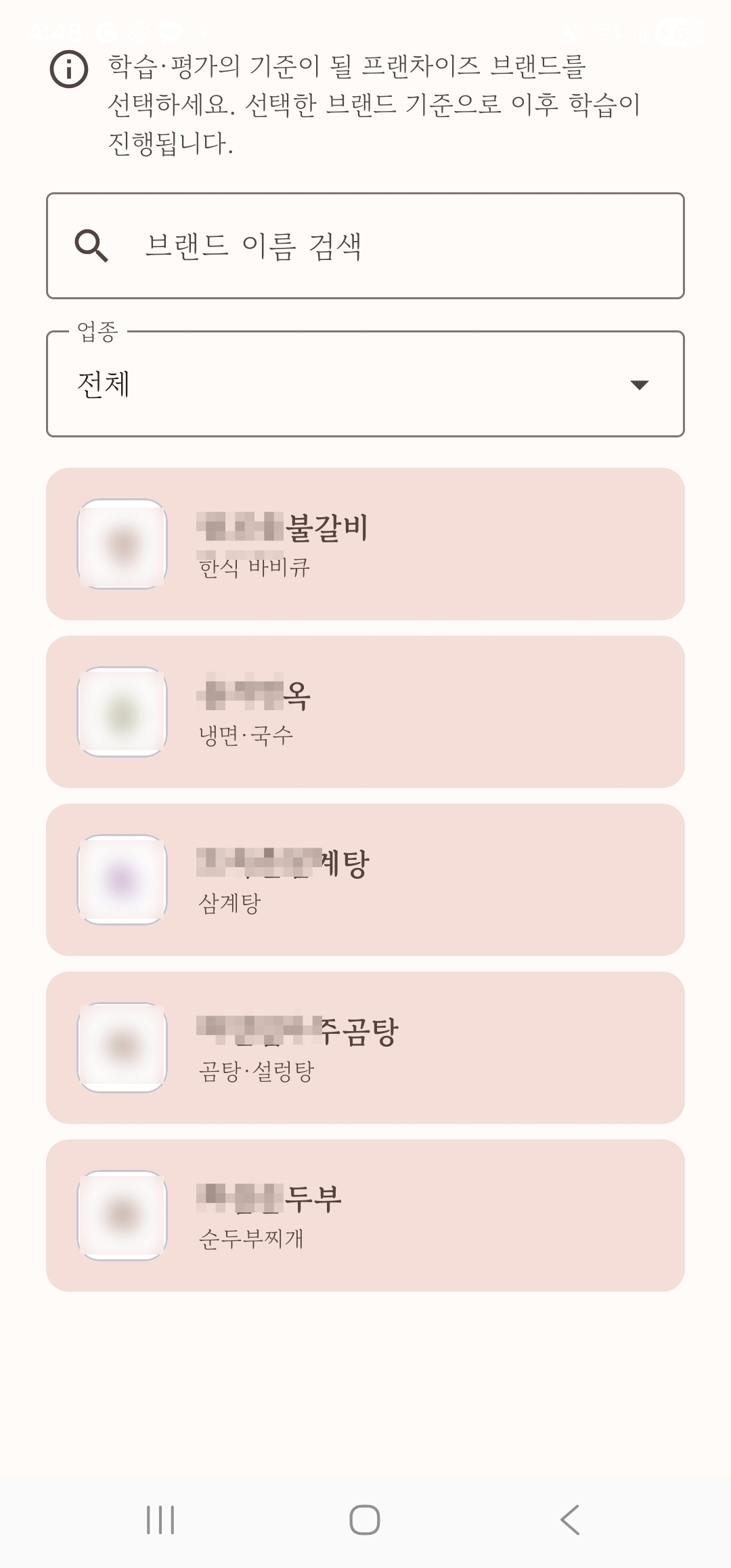
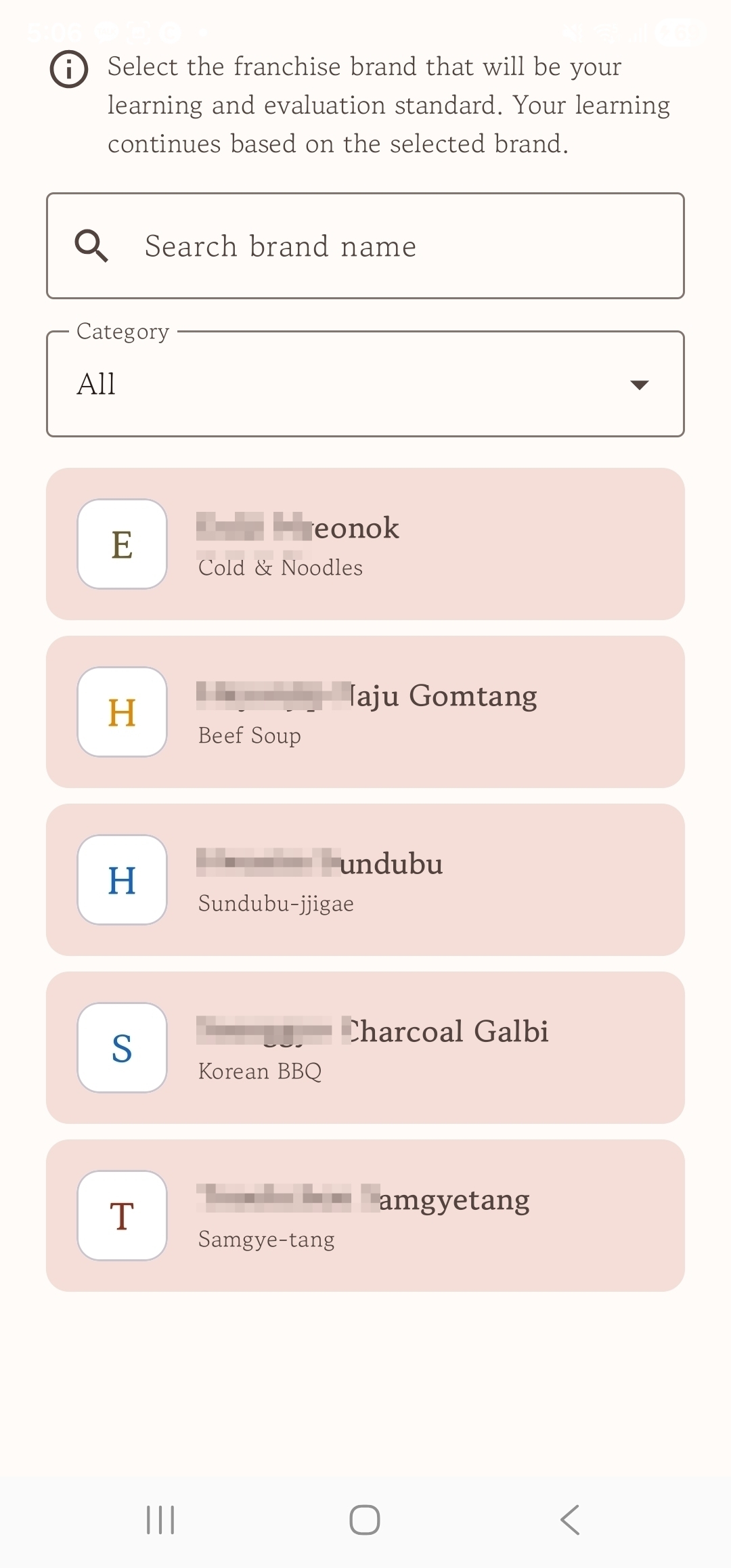
Choose your brand from the list; only the brand your invitation authorizes opens. (Dish setup for each brand is handled by the operator on the admin site, so the chef can focus on filming.)
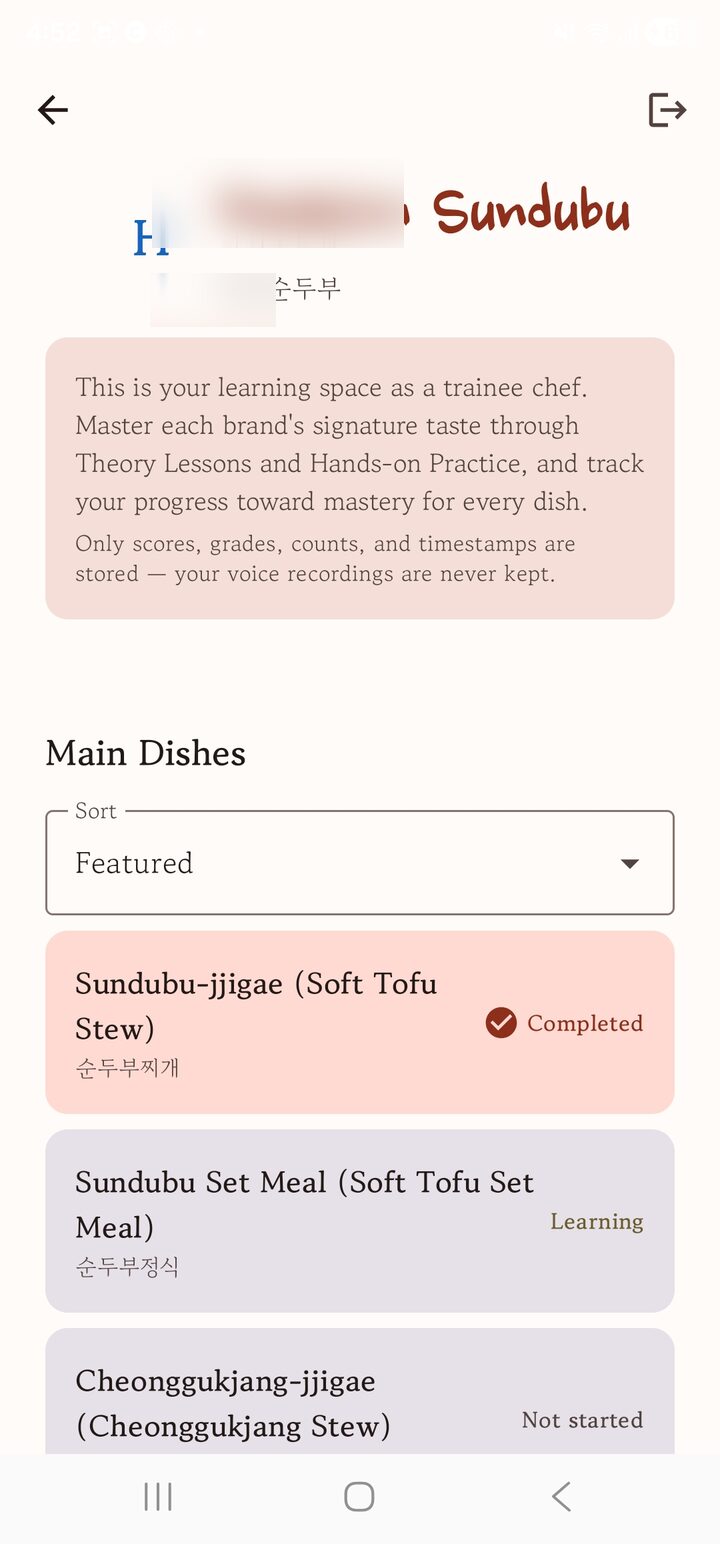
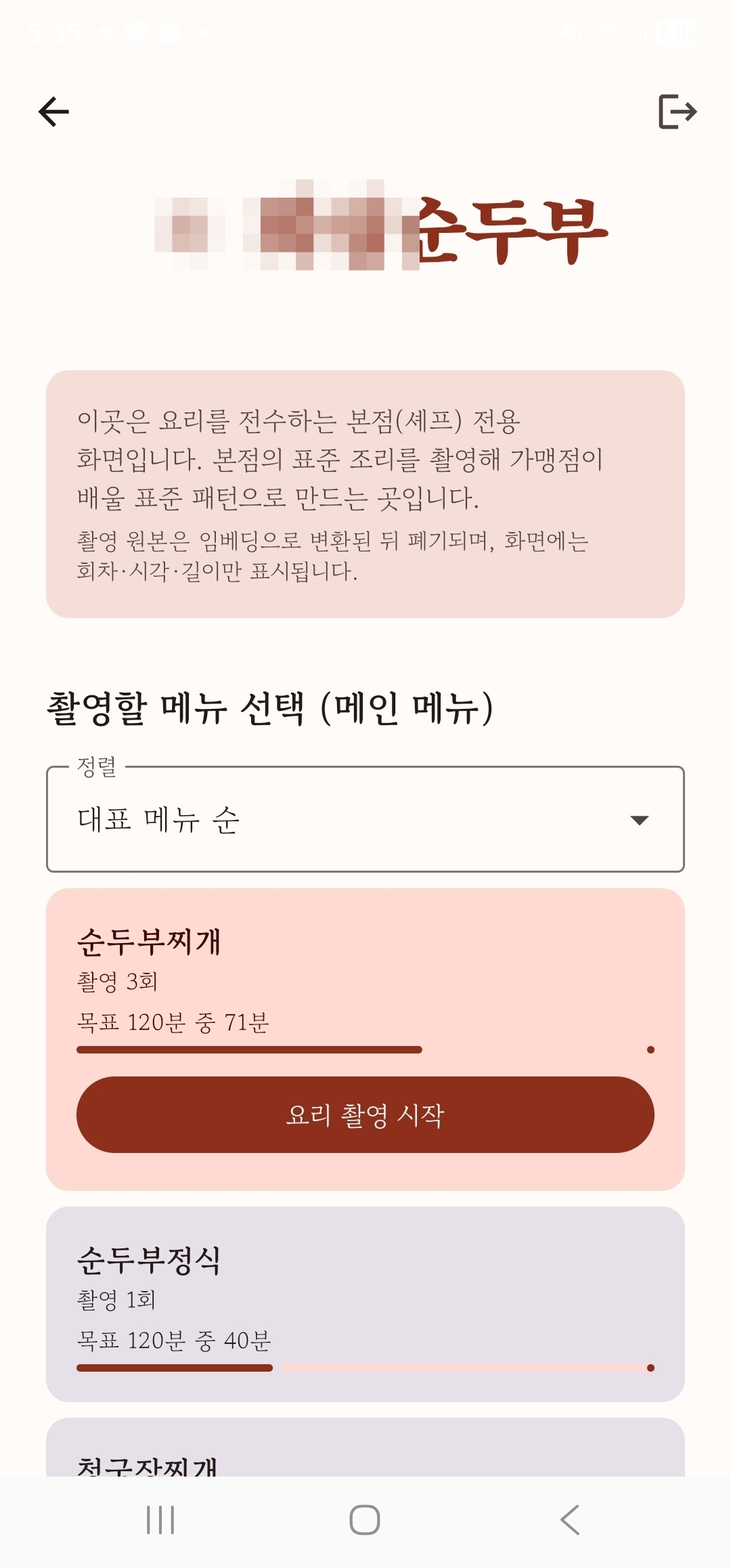
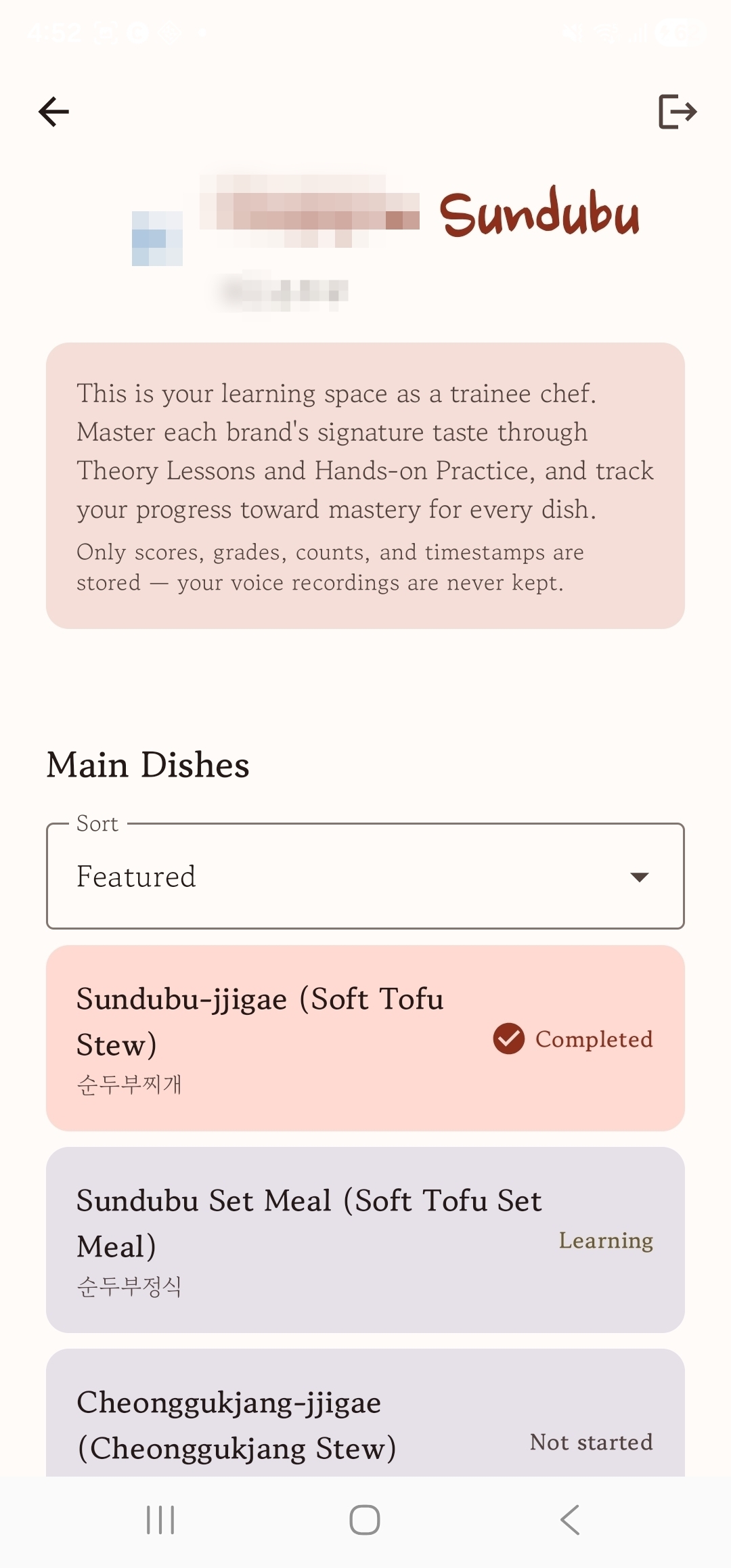
On the brand home, check each dish's filming progress (how much of the target is done) and pick one to film.
Tapping 'Start filming' doesn't start recording right away. First, the basics, scoring criteria and cautions are shown as text; then the chef puts on the Galaxy XR and presses start.
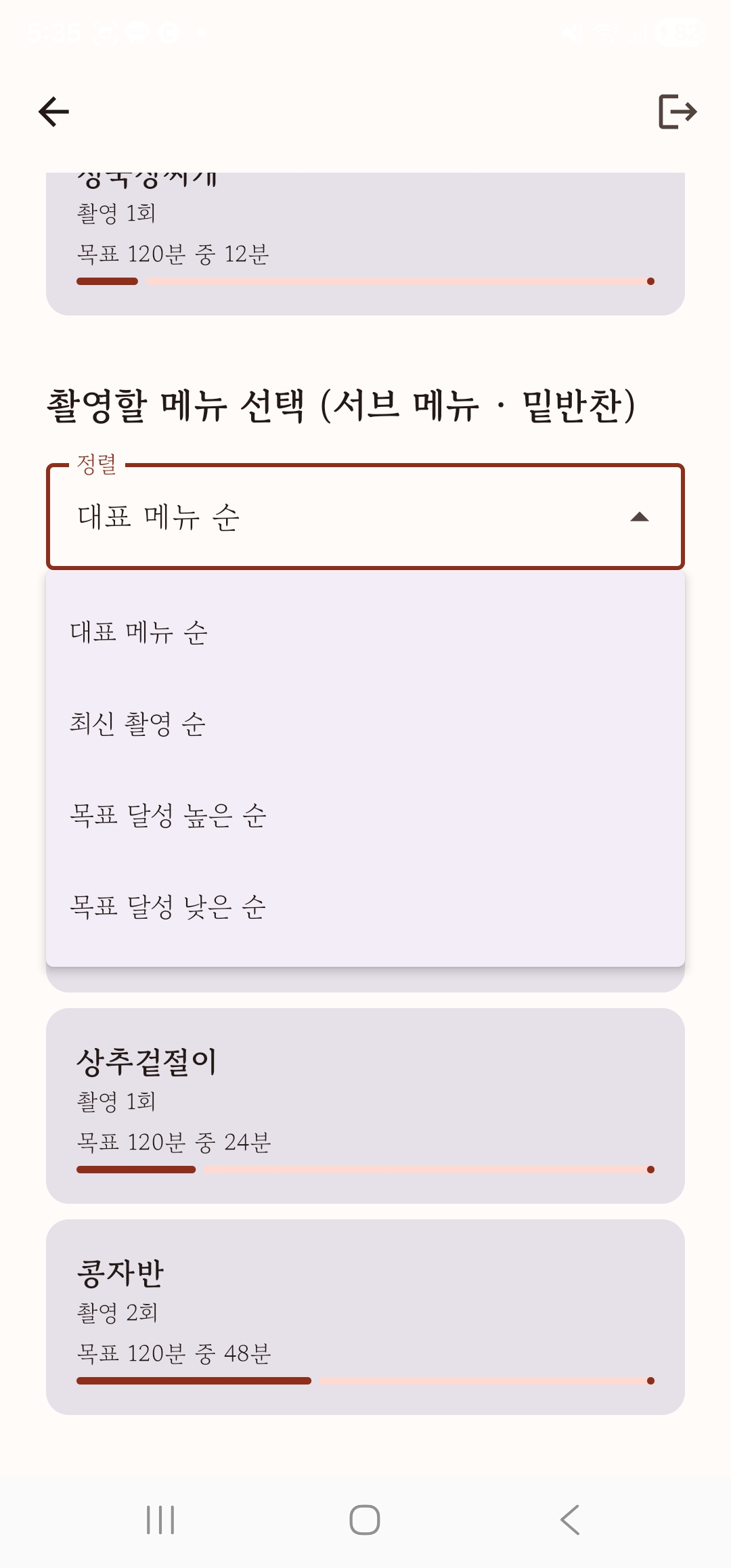
With many dishes, sorting helps you decide whether to continue your latest take, finish a nearly done dish or catch up on the one furthest behind.
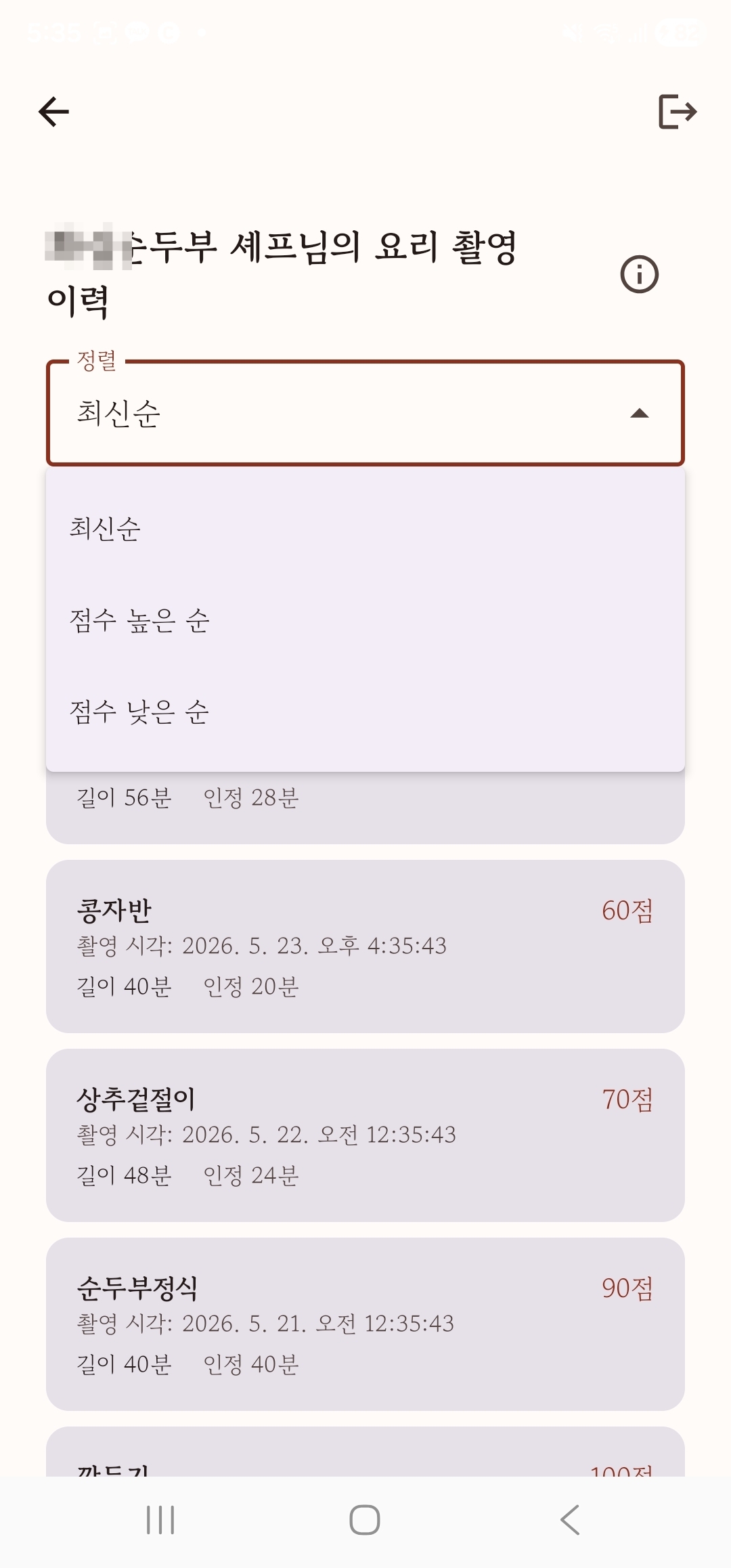
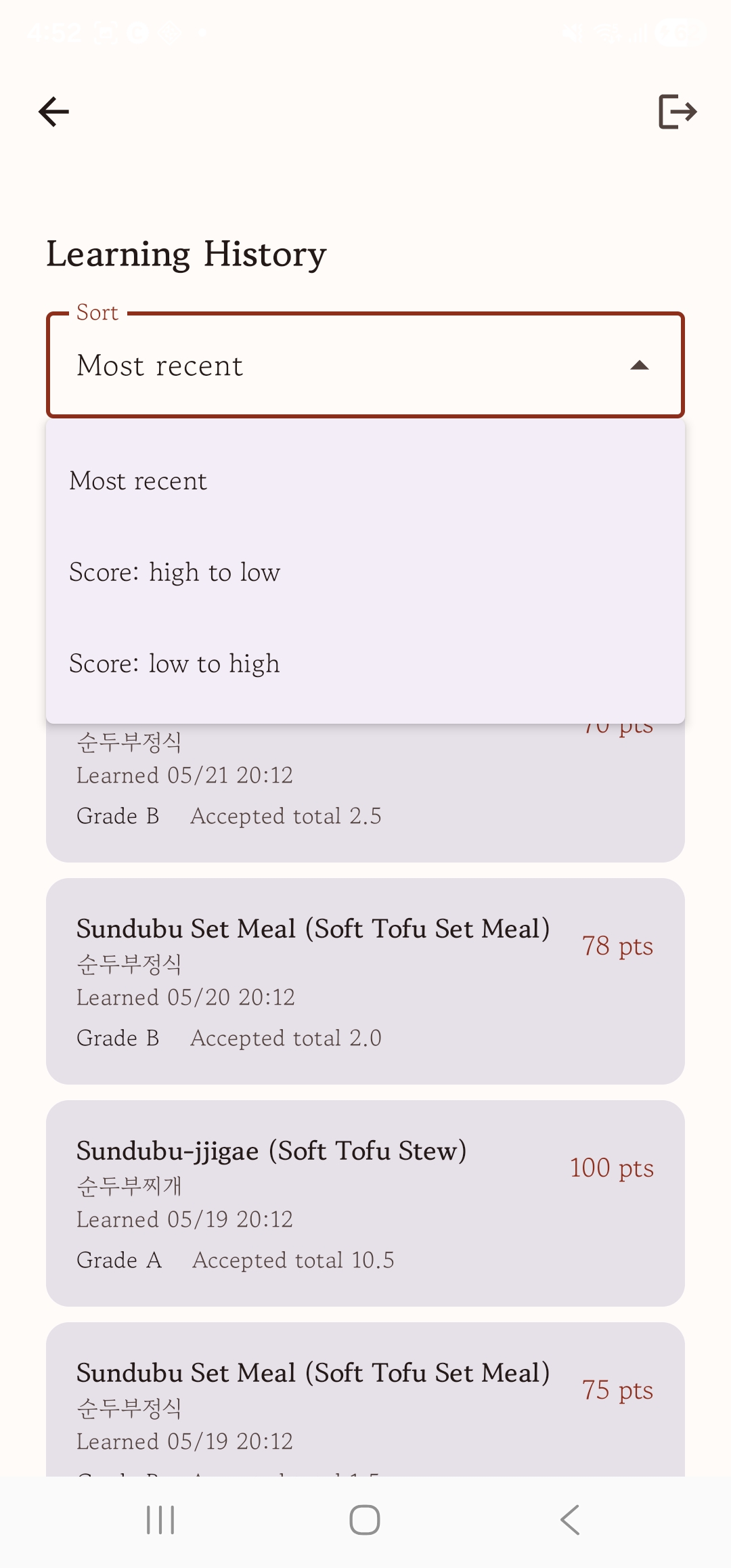
Look back over past takes by dish and date: which dish scored what, and when. Sort by most recent to see whether quality is improving, or by score to spot weaker dishes, and apply it to the next take.
Most learners are in the U.S., so the sample screens are in English. The language can be changed, to Korean and others, on the app's first screen.
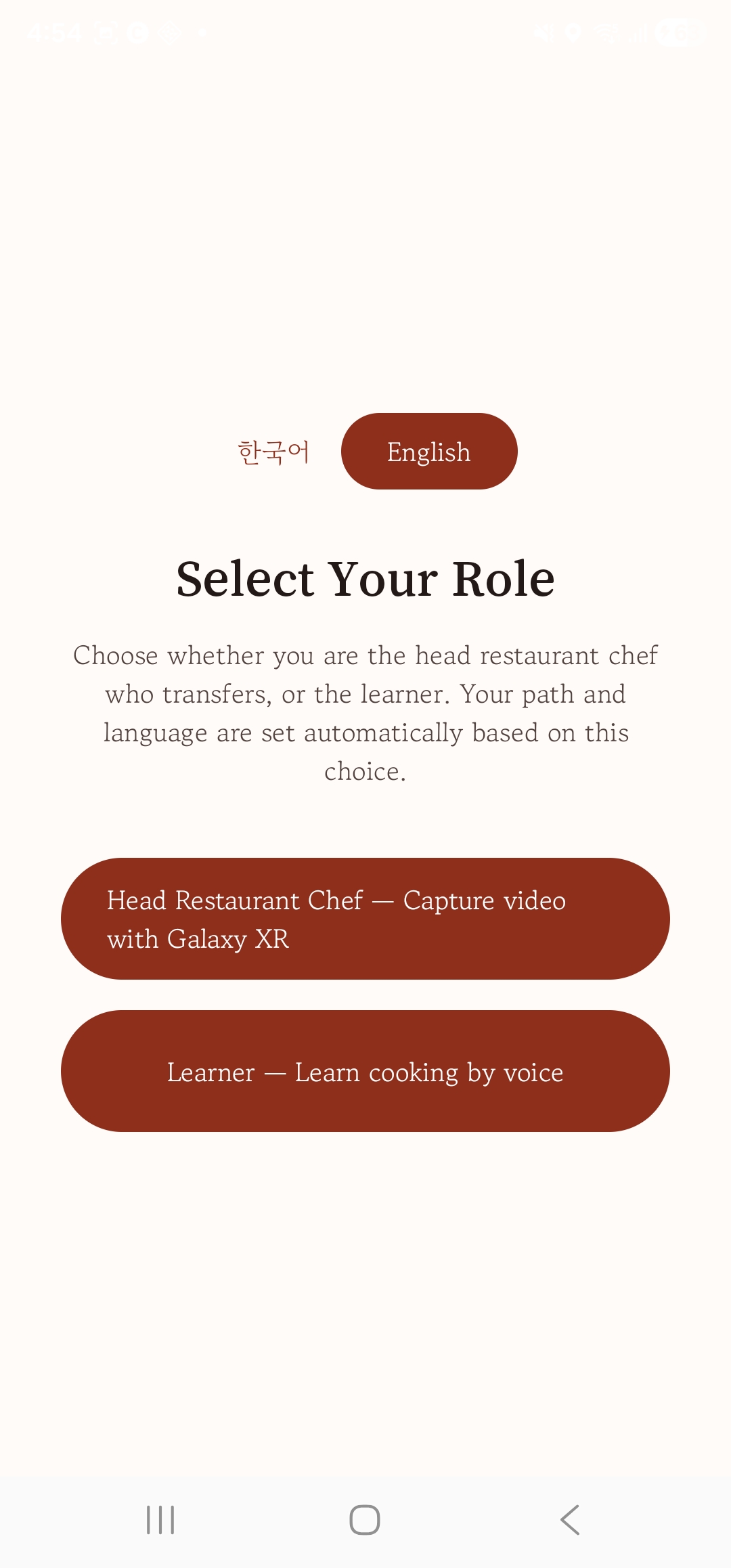
Sign in with the invitation from the head restaurant, and on the role screen choose 'Learner' to enter the learner's path (no invitation, no sign-up). You can also choose the language, such as Korean or English, on this first screen.
Learners see a list of brands and open the one they're launching. Only the brand your invitation authorizes opens.
The brand home shows each dish's progress at a glance (not started · in progress · done). For voice sessions, only scores, grades and counts are kept, never the original audio.
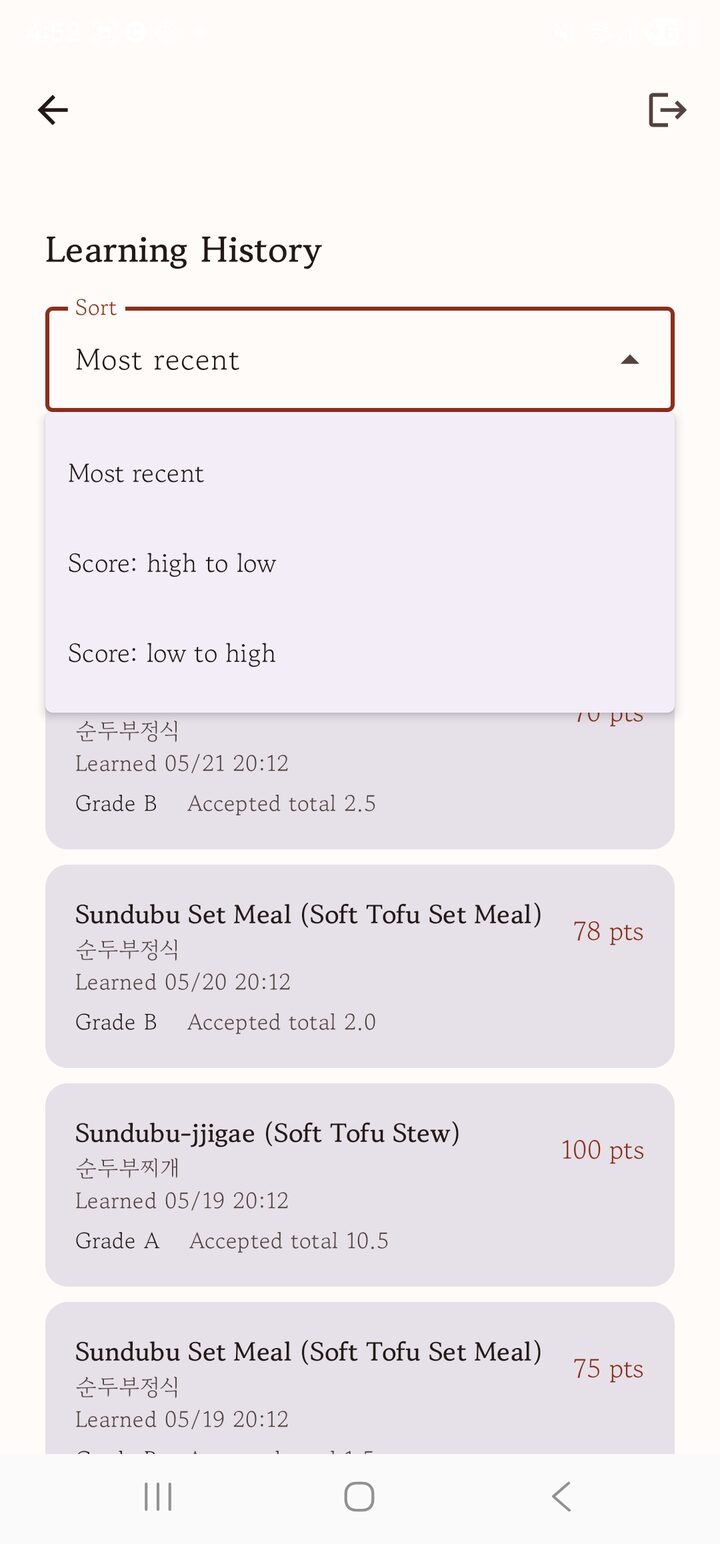
Scroll down for your learning history. Sort by most recent or by score to see whether you're improving and which dishes need work.
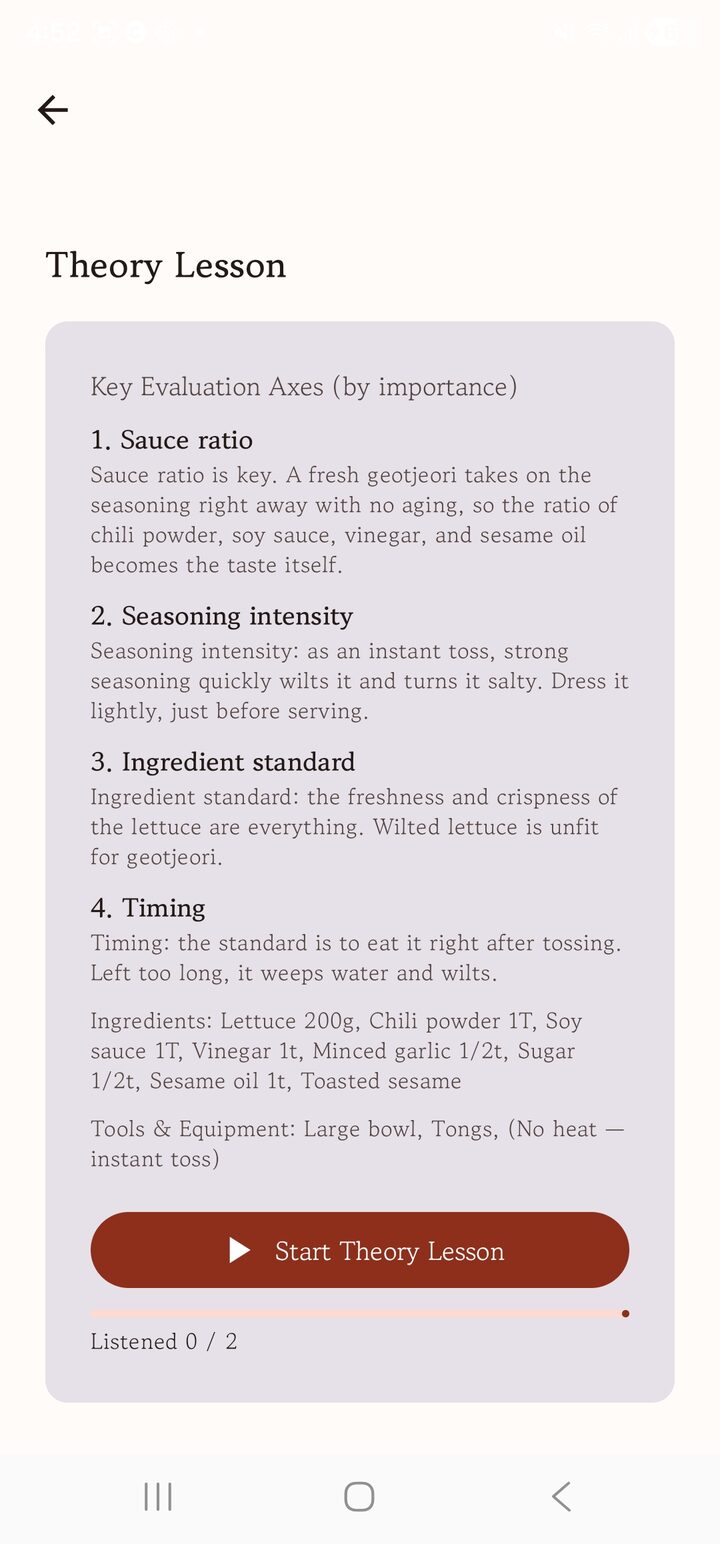
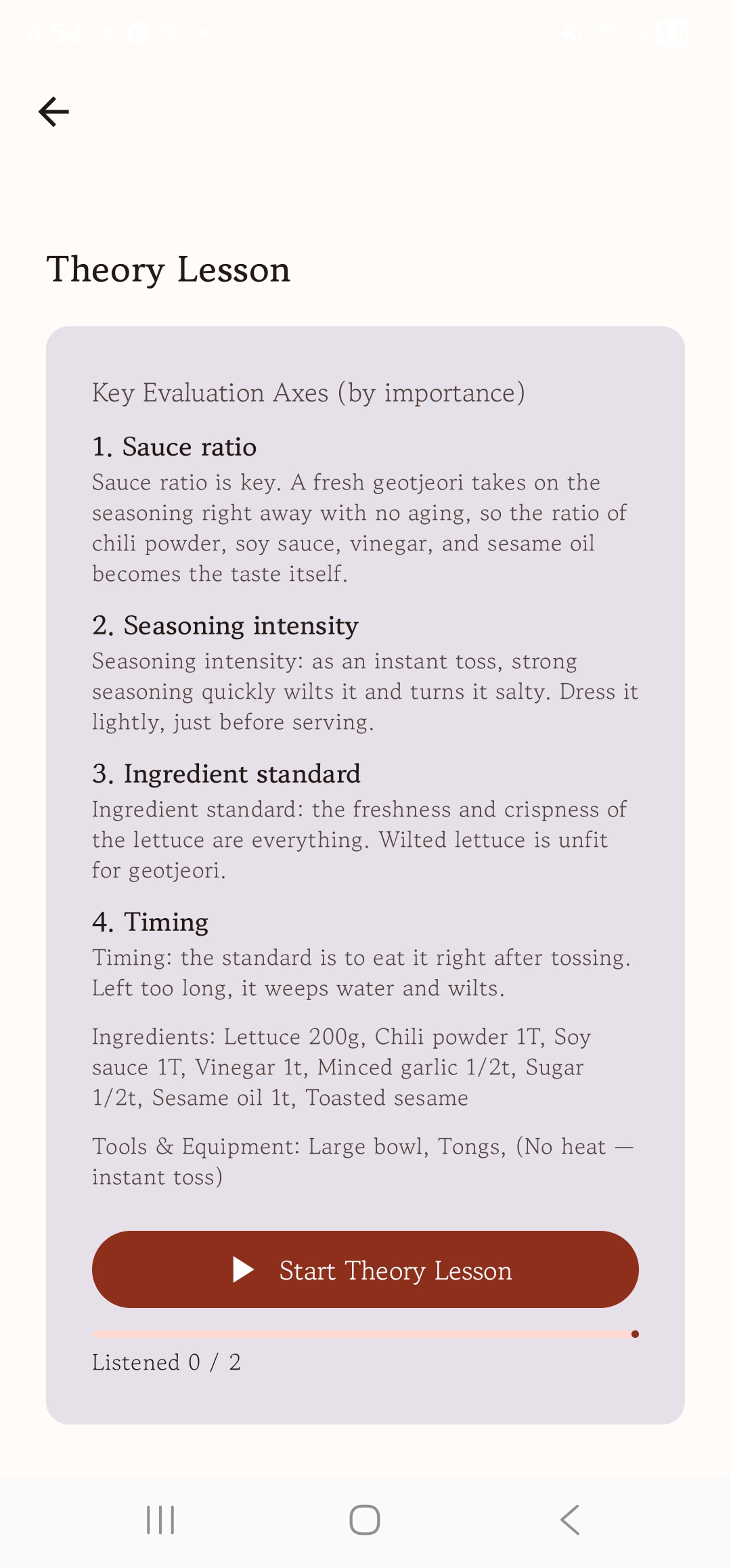
Theory starts with the dish's core concepts in text. The AI doesn't just read it aloud; it asks questions and talks with the learner to make the lesson stick.
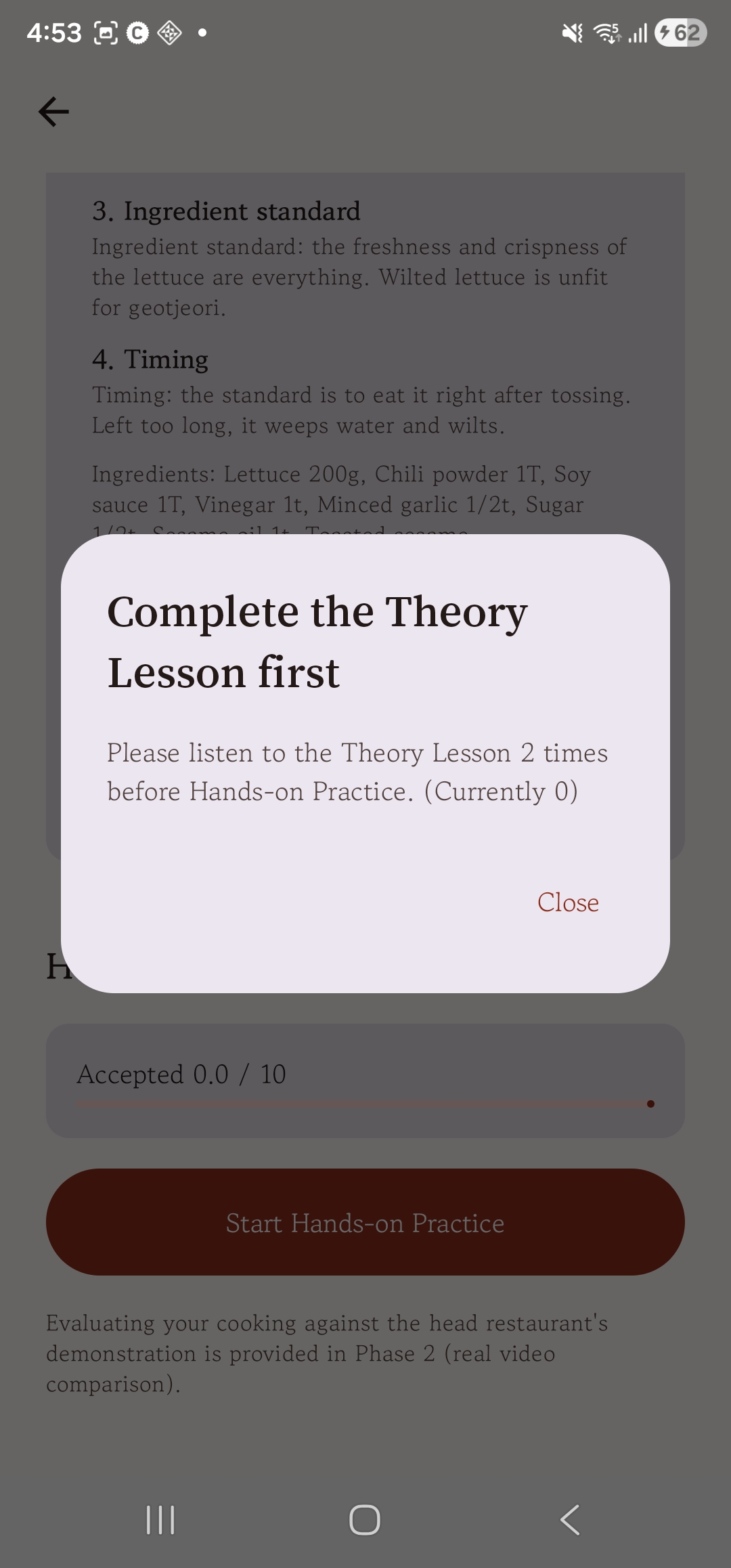
Try to start practice before finishing theory and a notice stops you. You move on only after truly learning the concepts.
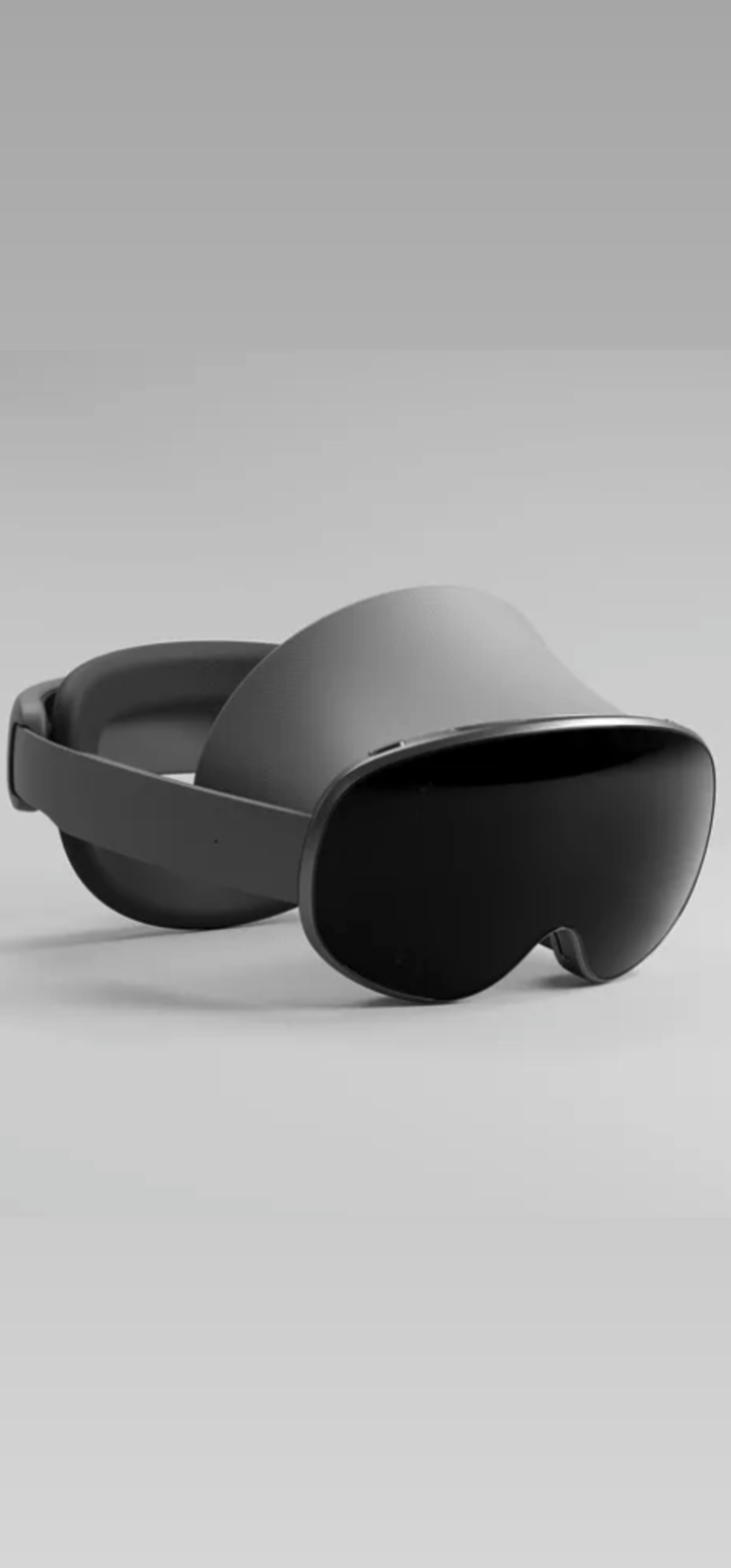
For practice you wear the Galaxy XR. It looks dark from the outside, but passthrough cameras show the real kitchen clearly, and its balance and field of view are steady enough to cook in. The AI sees what you see, teaches through live conversation and grades how far your cooking is from the head restaurant chef's pattern.